全網最詳細的Codex入門教程,手把手教你玩轉Vibe Coding。
整理版優先睇
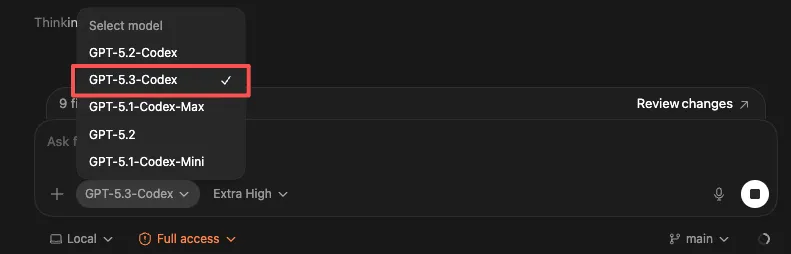
Codex + GPT-5.3-codex 係非程式設計師入門 Vibe Coding 嘅最佳選擇
作者卡茲克係一位有多年經驗嘅用戶體驗設計師,但佢本身唔識寫 code。佢之前因為 Claude 成日封號、OpenCode 太多 bug、命令行太難用而對 Vibe Coding 卻步。但最近佢發現 OpenAI 嘅 Codex 應用搭配 GPT-5.3-codex 模型,速度又快,額度又高,而且有圖形界面,令佢一個週末就解決咗四五個以前完全無法獨自完成嘅開發需求。
佢特別強調 Codex 對非程式設計師極度友好:唔需要用命令行,所有操作都可以透過圖形化界面完成;每個專案可以分開文件夾同 Thread,避免上下文污染;仲有內置嘅定時任務同 Skills 功能,方便自動化同管理。佢重提供咗一組自己常用嘅全局規則,可以直接複製貼上。
佢嘅結論係:AI 寫 code 會變成未來嘅基本技能,而 Codex 就係而家最易上手嘅工具。佢鼓勵讀者馬上下載試玩,由細任務開始,享受創作嘅樂趣。
- Codex 係非程式設計師入門 Vibe Coding 嘅首選,因為佢有可視化界面、速度快、額度高,而且唔似 Claude 咁亂封號。
- 使用 Codex 嘅關鍵係做好專案分類:用文件夾(項目羣)同 Thread(具體任務線)分開存放代碼同思路,避免上下文污染。
- Codex 提供 Plan mode,適合大型項目由 0 到 1 規劃;日常開發直接用麥克風講需求就得,非常直觀。
- 如果 Codex 前端能力不足,可以暫時用 Claude Opus 4.6 或 K2.5 配合 Frontend Design skill 改善,然後再返嚟 Codex 繼續開發。
- 未來會用 AI 寫 code 會變成好似用 Excel 咁基本,而家開始用 Codex 就係最好嘅入門時機。
Codex 官方下載頁面
OpenAI Codex 下載網站,支援 macOS 應用版(Windows 命令行版即將推出)。
Codex 全局規則模板
適合新手嘅 Codex 全局規則,包括操作原則、安全守則、程式碼質量要求等。可直接複製貼上到 Personalization 設定。 # Global rules for codex ## Operating principles - Prefer small, reviewable diffs. Avoid sweeping refactors unless explicitly requested. - Before editing, identify the file(s) to change and state the plan in 3-6 bullets. - Never invent APIs, configs, or file paths. If unsure, search the repo first. - Keep changes consistent with existing style and architecture. ## Safety and secrets - Never paste secrets, tokens, private keys, .env values, or credentials into code or logs. - If a task requires secrets, ask me to provide them via environment variables. - Do not add analytics, telemetry, or network calls unless I ask. ## Code quality bar - Add or update tests for behavior changes when the project has tests. - Prefer type safety and explicit error handling. - Add comments only when the intent is non-obvious. ## Build and run etiquette - If you need to run commands, propose the exact command and why. - When you make changes that may break build, run the fastest relevant check first. ## Output formatting - For code changes: include a short summary + list of files changed. - For debugging: include hypotheses, experiments run, and the minimal fix. ## My preferences - I like concise explanations, concrete steps, and copy-pastable commands. - Default language for explanations: Chinese.
點解我要推薦 Codex?
作者卡茲克分享佢自己嘅親身經驗:佢係一個用戶體驗設計師,完全唔識寫 code,但係用 Codex 之後,成個週末都沉迷喺 Vibe Coding 入面,仲成功做出咗幾個一直想做嘅項目。佢認為 Codex 嘅圖形界面同 GPT-5.3-codex 嘅速度,係令佢呢類新手可以堅持落去嘅關鍵。
我差唔多除咗瞓覺,其他時間都喺度Vibe Coding,一個週末就解決咗四五個以前完全冇辦法獨自完成嘅開發需求。
Codex 嘅基本概念:文件夾同 Thread
Codex 嘅界面左邊有兩層結構:第一層係文件夾(工作區),第二層係 Thread(任務線)。文件夾好似一個項目羣,Thread 就係入面嘅具體話題貼。呢個設計對新手特別友好,因為佢將代碼存放同思路過程分開,避免上下文污染。
- 文件夾負責存放代碼同資料,Thread 負責存放思路同過程。
- 同一個文件夾入面可以做同一個大方向,但唔同 Thread 嘅對話同目標互不污染。
- 建議喺本地建立一個 dev 文件夾,再按用途分類成 Learning、Notes、Projects、Sandbox 等子文件夾。
同一個Thread入面只推一件具體嘅事,咁樣效果最好。
功能同配置,新手必知
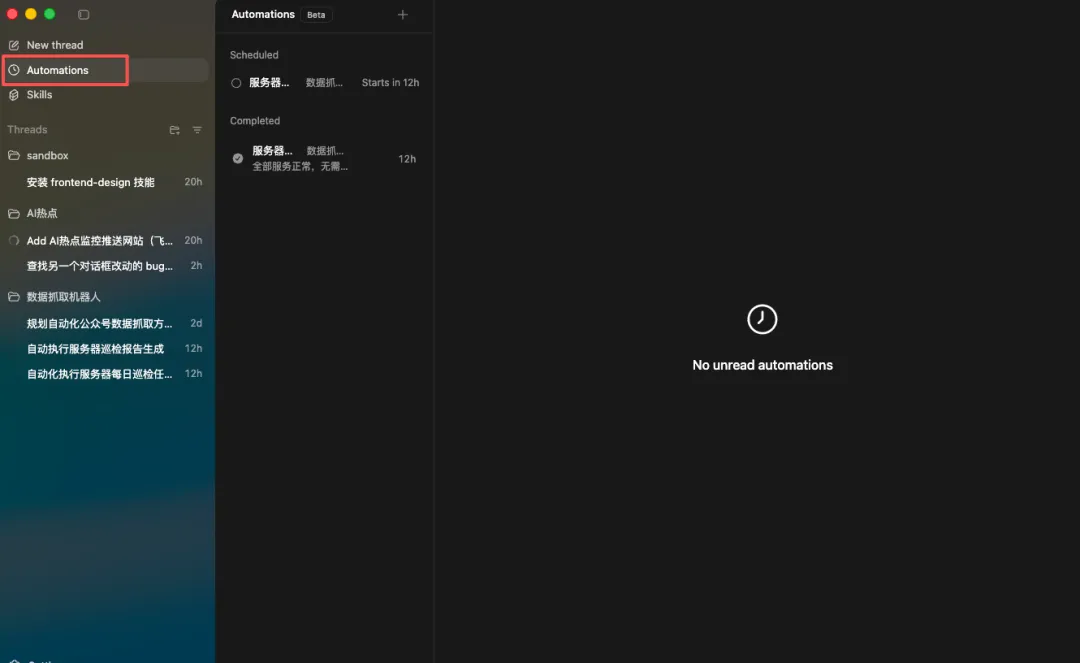
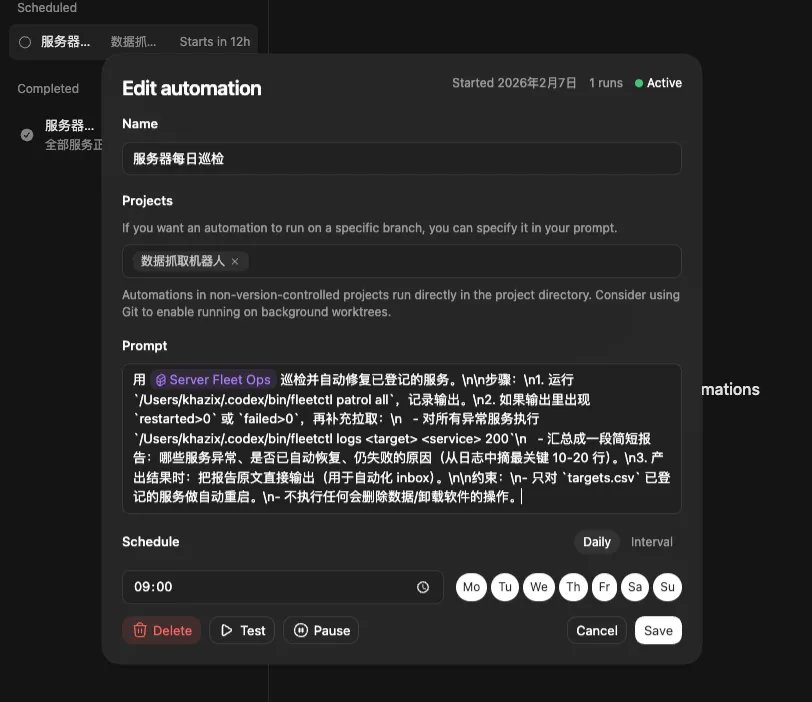
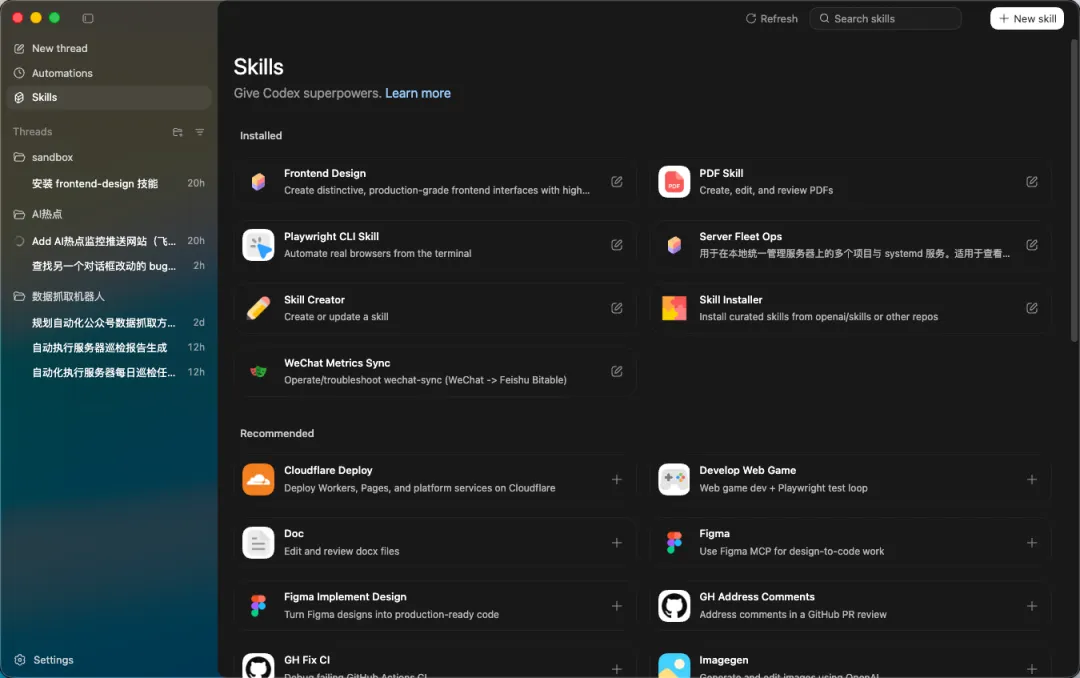
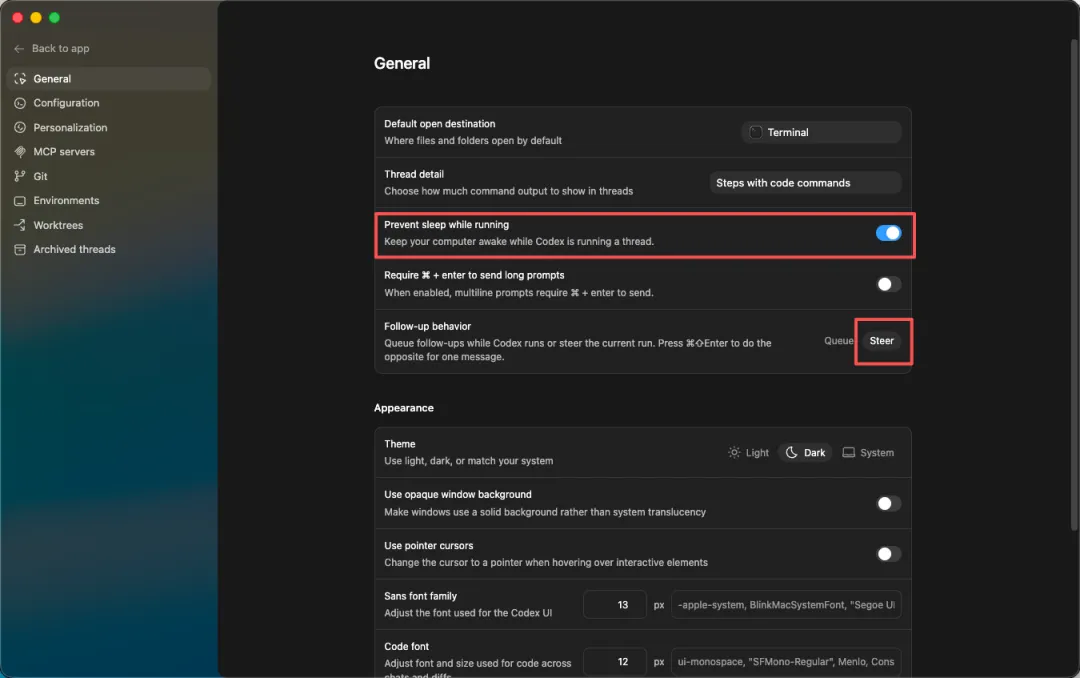
Codex 有幾個對新手好有用嘅功能:定時任務可以幫你自動巡檢服務器;Skills 有圖形化管理界面,仲有內置嘅 Skill Creator,用自然語言就可以建立技能。另外喺設定入面,有幾個選項一定要校好。
你可以將服務器完全託管俾Codex,佢會自動巡檢同修復錯誤。
仲有,喺 Personalization 入面可以填寫全局規則,作者推薦直接用以下呢份模板,新手複製貼上就得。
# Global rules for codex
## Operating principles
- Prefer small, reviewable diffs. Avoid sweeping refactors unless explicitly requested.
- Before editing, identify the file(s) to change and state the plan in 3-6 bullets.
- Never invent APIs, configs, or file paths. If unsure, search the repo first.
- Keep changes consistent with existing style and architecture.

## Safety and secrets
- Never paste secrets, tokens, private keys, .env values, or credentials into code or logs.
- If a task requires secrets, ask me to provide them via environment variables.
- Do not add analytics, telemetry, or network calls unless I ask.

## Code quality bar
- Add or update tests for behavior changes when the project has tests.
- Prefer type safety and explicit error handling.
- Add comments only when the intent is non-obvious.

## Build and run etiquette
- If you need to run commands, propose the exact command and why.
- When you make changes that may break build, run the fastest relevant check first.

## Output formatting
- For code changes: include a short summary + list of files changed.
- For debugging: include hypotheses, experiments run, and the minimal fix.

## My preferences
- I like concise explanations, concrete steps, and copy-pastable commands.
- Default language for explanations: Chinese.開始 Vibe Coding 啦
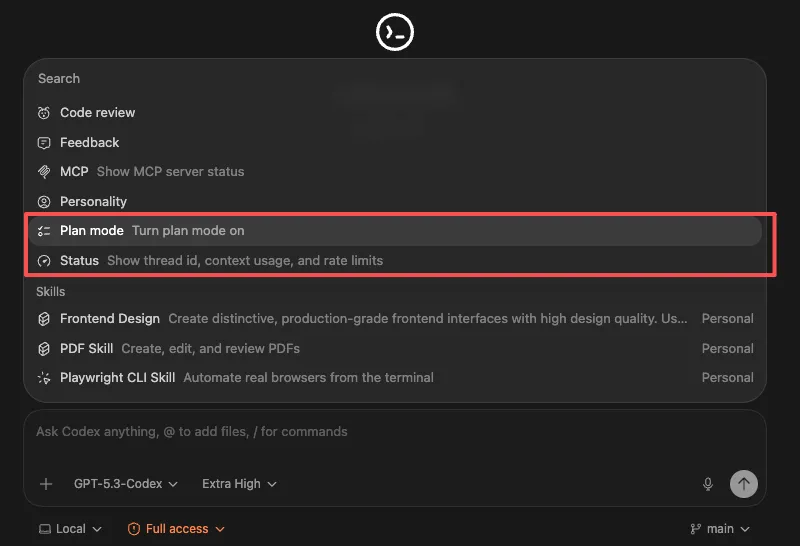
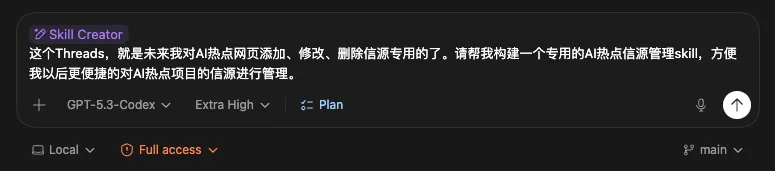
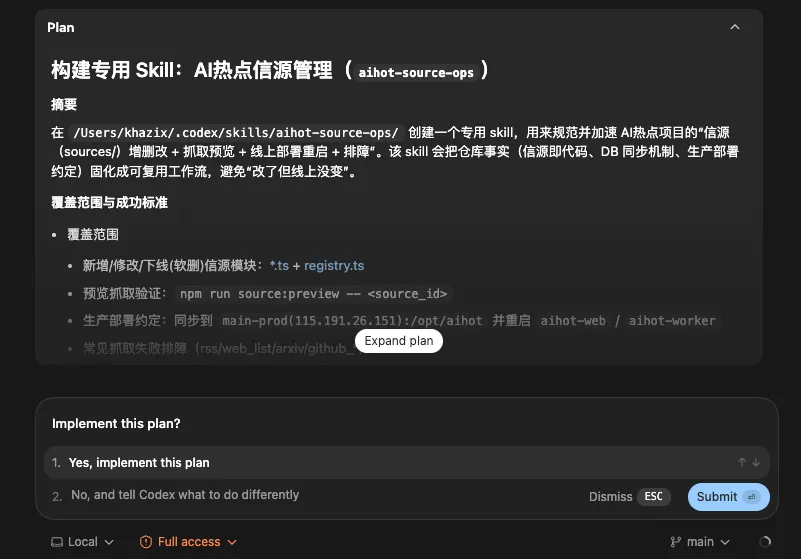
正式 coding 時,建議先用 Plan mode 規劃大型項目,確保方向正確。然後直接用右下角嘅麥克風口講需求,Codex 就會自動執行。如果前端效果唔理想,可以暫時用 Claude Opus 4.6 或 K2.5 重新整前端,再返返 Codex 繼續開發。
Plan mode 只規劃唔寫 code,適合大型項目由 0 到 1 起頭。
最後,作者提醒:未來會用 AI 寫 code 會變成好似用 Excel 咁基本,而家開始就係最好嘅時機。玩得開心!

https://chatgpt.com/codex
見到呢個大大嘅下載應用冇?㩒落去就得。
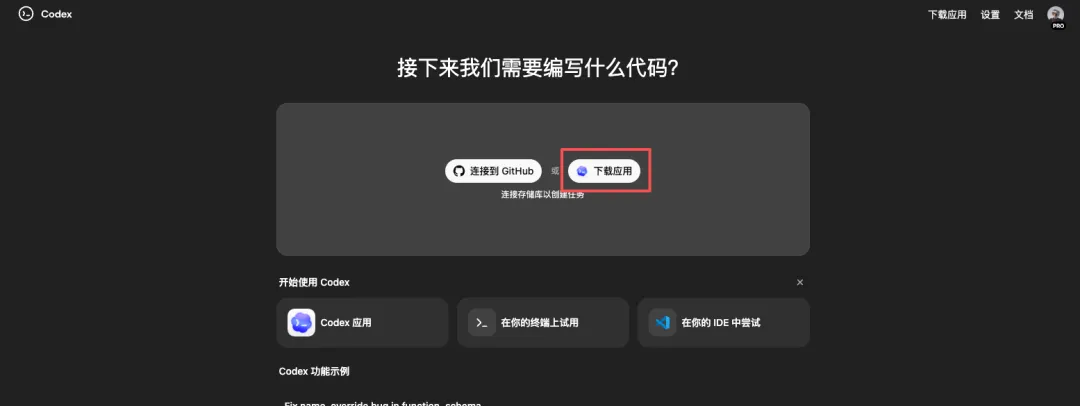
就會下載一個Mac嘅安裝包,然後安裝、登入就搞掂。
太簡單啦。
至於Windows嘅應用版本,仲未上線,暫時只能用命令行版本,不過應用版本應該就快出,估計呢個禮拜內。
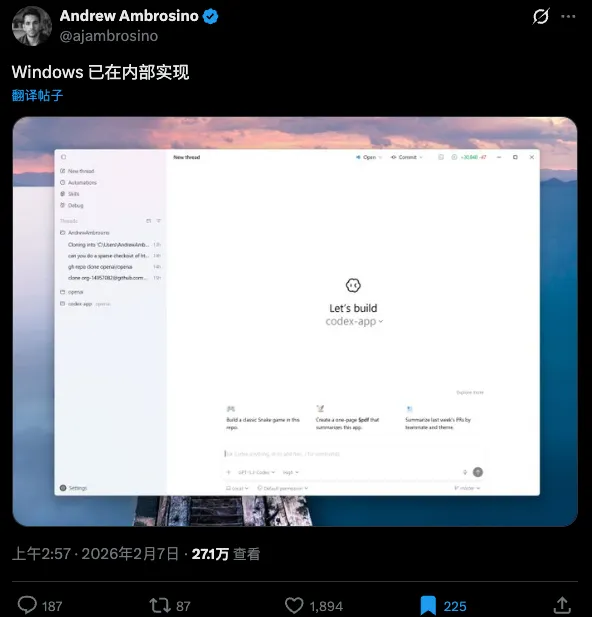
當你下載好,登入Codex嘅首頁之後,你應該見到嘅就係呢個界面。
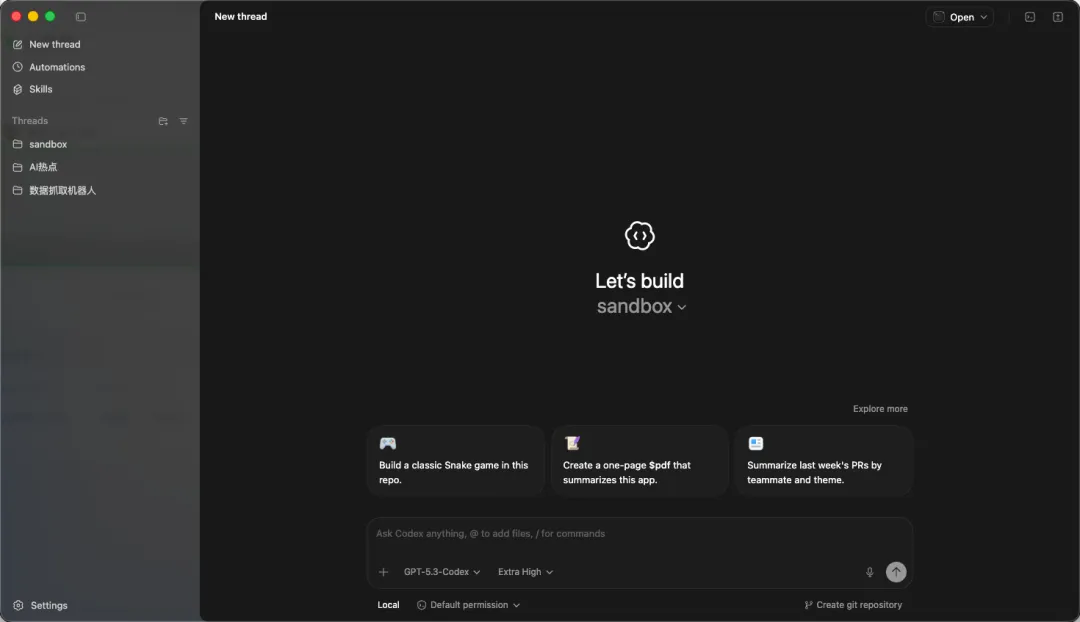
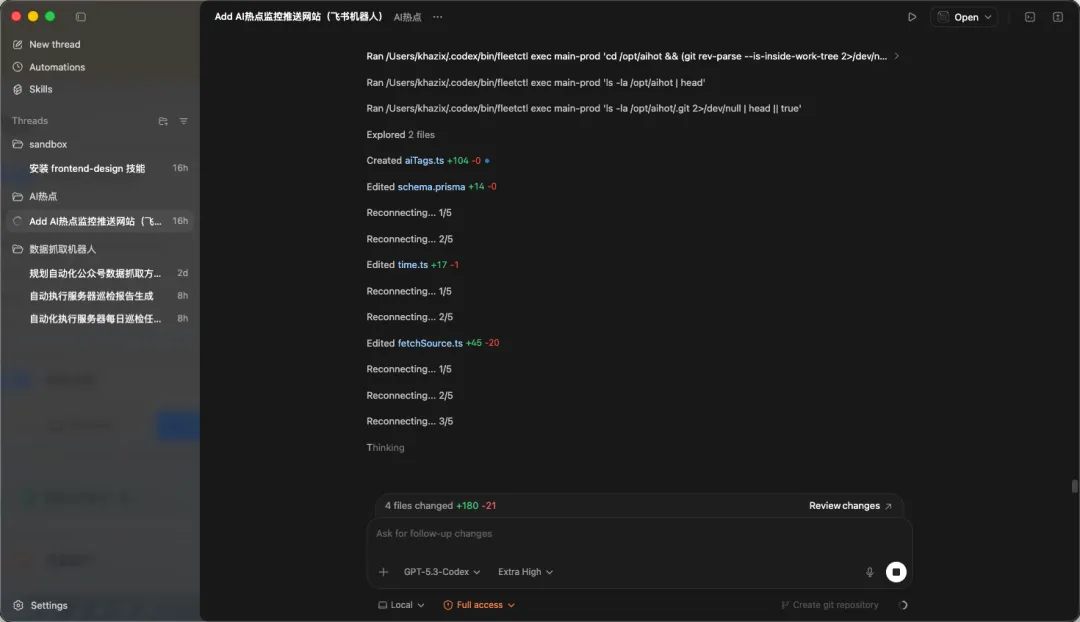
成個編程邏輯入面,有一個核心嘢,即係左邊嘅側邊欄,一個一個文件夾,呢樣嘢叫做Threads,即係線程。
喺Codex嘅邏輯入面,左邊呢欄其實分兩層。
第一層係文件夾,即係工作區。
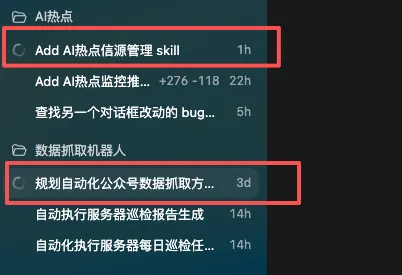
你可以將佢理解為一個個項目目錄,或者一個個主題盒,例如我自己嘅AI熱點、數據抓取機械人、sandbox呢啲,佢負責將你嘅文件整理得井井有條。
第二層先係Thread。
你㩒開某個文件夾,會見到入面一條條對話,呢啲對話紀錄先叫Thread。每一條Thread就係一條獨立嘅任務線。
所以整體關係係咁。
一個文件夾入面可以有好多條Thread,每條Thread都係喺同一個工作區入面,圍繞一個明確目標推進嘅一次協作過程。
舉個最貼地嘅比喻。
文件夾好似一個項目羣組。
Thread好似呢個羣組入面嘅一個具體話題帖。
你喺某個話題帖入面傾需求,Codex就喺同一個上下文入面改檔案、執行指令、做紀錄;你轉去另一個話題帖,佢就切換到另一條任務線。
呢套設計對小白特別友好,因為佢將兩樣容易混淆嘅嘢分開。
文件夾負責存放代碼同資料,Thread負責存放思路同過程。
唔會再遇到嗰種經典崩潰場景。
例如朝早叫佢寫網頁,下晝叫佢計Excel,夜晚又叫佢改文案,最後所有嘢撈埋一齊,上下文污染極嚴重,AI亂咁作,自己又揾唔返啲檔案喺邊。
喺Codex入面,你只要遵守一個簡單到離譜嘅規則。
同一個文件夾可以做同一個大方向,同一個Thread只推進一件具體事,咁效果最好。
佢哋都喺同一個項目目錄入面,互相共享檔案同資源。
但佢哋嘅對話同目標唔會互相污染,隨時可以斷點續寫。
所以,我好建議大家,喺萬物之始,先諗好分類。
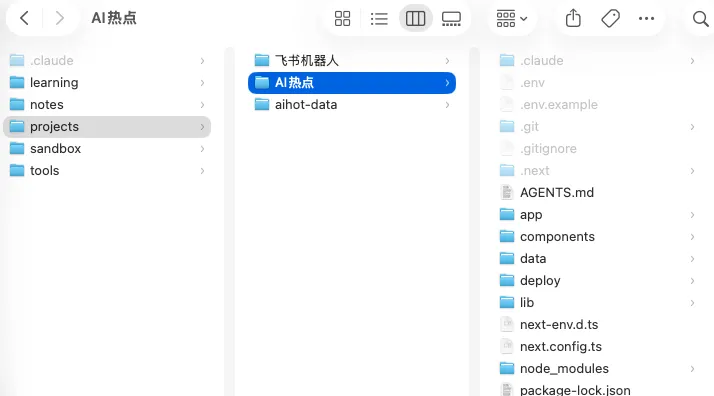
例如我個人好簡單嘅習慣,就係喺我嘅電腦上,建立一個叫dev嘅文件夾。
入面有呢啲:Learning放我嘅學習資料,Notes就係我自己嘅文章同筆記,Projects係我實際做開發嘅真實項目任務,Sandbox就係沙盒,唔知點分類嘅雜嘢可以掟入去,Tools就係我成型嘅通用腳本、可重用組件、小工具等等。
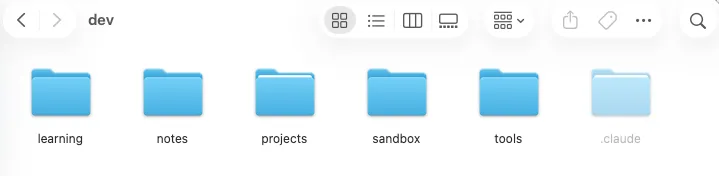
例如Projects入面而家有幾個真實任務,AI熱點同飛書機械人,而飛書機械人入面又分咗幾個唔同功能嘅飛書機械人文件夾。
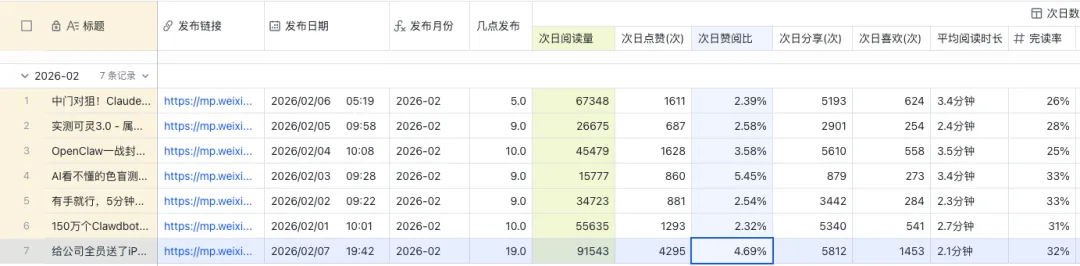
例如週末啱啱做完嘅,能夠將我公眾號嘅數據按時全部爬落嚟存喺我嘅多維表格度嘅飛書機械人。
前期分類,我係就嚕囌咗好多,但真係好重要!一個好嘅分類係你之後開心嘅開始,千祈唔好咩對話都好似同ChatBot咁隨便開新對話,Thread同項目文件夾一定要管理好。
當你喺本地建立好之後,就可以經呢個位置,加入一個文件夾做你嘅項目文件夾。
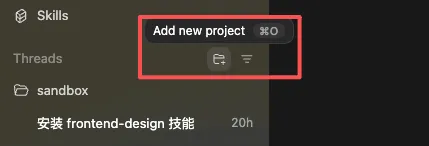
例如我想開發我嘅AI熱點網站,就可以將呢個項目文件夾加落嚟,然後開一個Thread,進行對話。
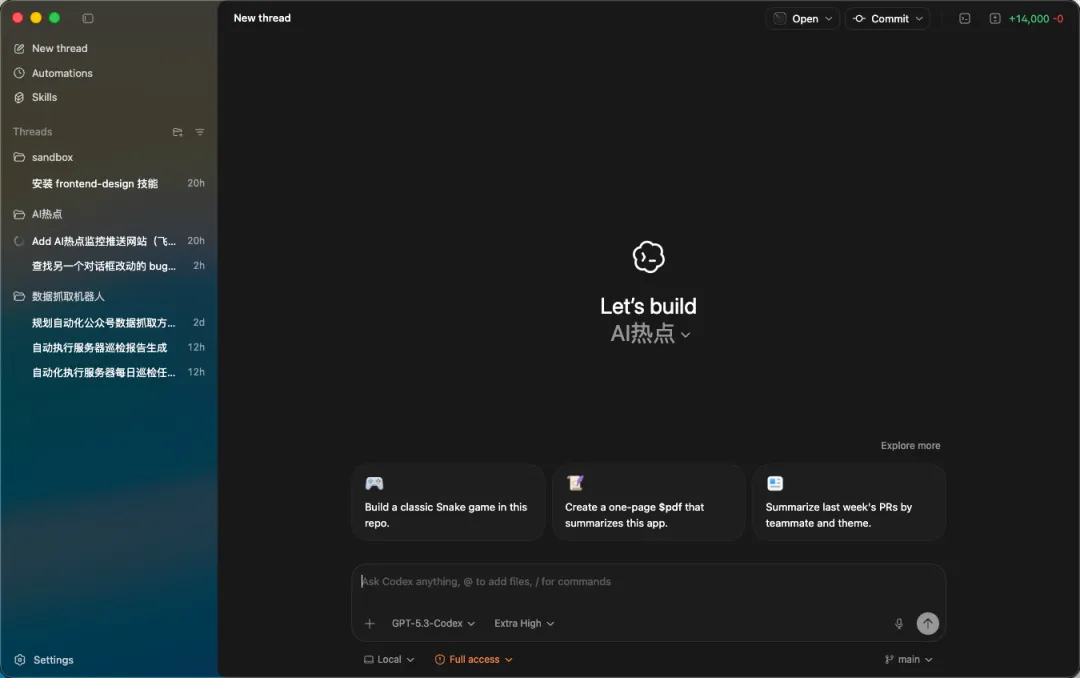
嗰陣你想講乜,就可以直接發訊息。
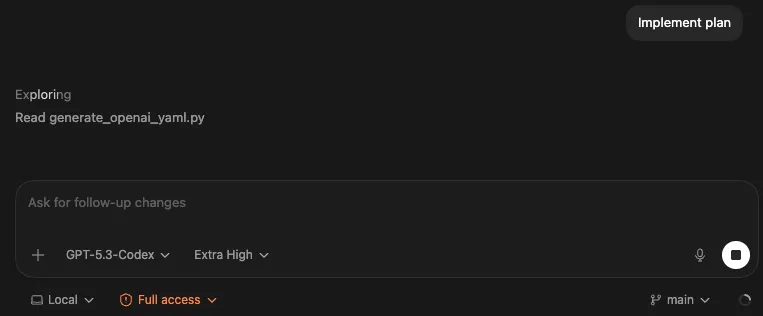
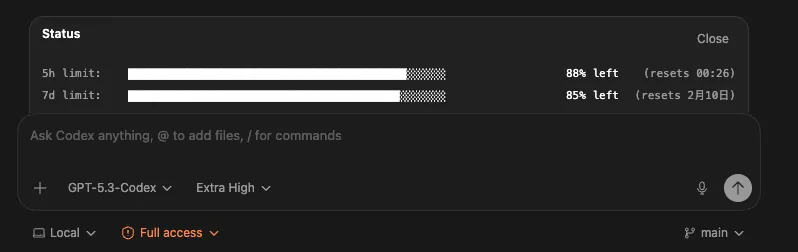
但係,我知你好急,不過你唔好急住,仲有啲配置同功能,我同你講完之後,你先開始玩。


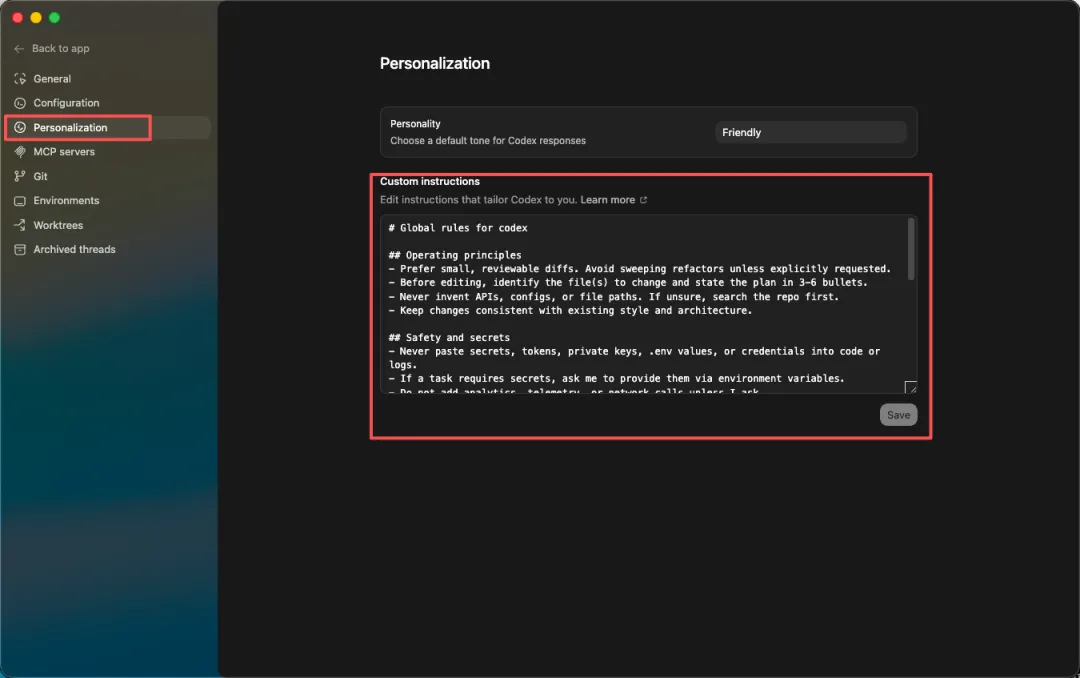
# Global rules for codex

## Operating principles
- Prefer small, reviewable diffs. Avoid sweeping refactors unless explicitly requested.
- Before editing, identify the file(s) to change and state the plan in 3-6 bullets.
- Never invent APIs, configs, or file paths. If unsure, search the repo first.
- Keep changes consistent with existing style and architecture.

## Safety and secrets
- Never paste secrets, tokens, private keys, .env values, or credentials into code or logs.
- If a task requires secrets, ask me to provide them via environment variables.
- Do not add analytics, telemetry, or network calls unless I ask.

## Code quality bar
- Add or update tests for behavior changes when the project has tests.
- Prefer type safety and explicit error handling.
- Add comments only when the intent is non-obvious.

## Build and run etiquette
- If you need to run commands, propose the exact command and why.
- When you make changes that may break build, run the fastest relevant check first.

## Output formatting
- For code changes: include a short summary + list of files changed.
- For debugging: include hypotheses, experiments run, and the minimal fix.

## My preferences
- I like concise explanations, concrete steps, and copy-pastable commands.
- Default language for explanations: Chinese.

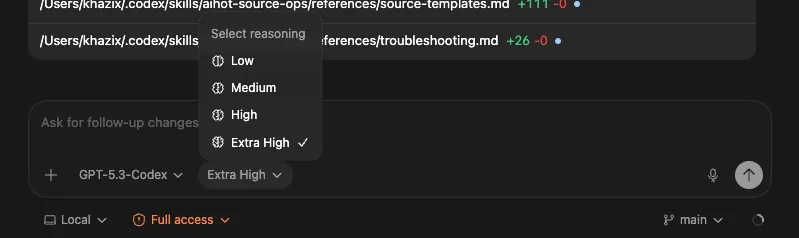
xhigh。

我一直覺得Vibe Coding呢樣嘢,對非程序員嚟講可能比對程序員更有價值。
因為程序員本來就識寫Code,AI對佢哋只係提高效率,但對我哋呢啲唔識寫Code嘅人嚟講,AI直接將一道原本過唔到嘅難關剷平咗。
將來,識用AI寫Code會變成好似識用Excel咁嘅基本技能。
呢個係必然。
希望人人都可以發揮自己嘅創意。
玩得開心。
以上,既然睇到呢度,如果覺得唔錯,順手㩒個讚、在看、轉發三連啦。如果想第一時間收到推送,都可以畀我個星標⭐~多謝你睇我嘅文章,我哋下次再見。
> / 作者:卡茲克
> / 投稿或爆料,請聯絡郵箱:wzglyay@virxact.com
https://chatgpt.com/codex
看到這個大大的下載應用沒有,點擊就行。
就會下載下來一個Mac的安裝包,然後安裝、登錄就完事了。
不要太簡單。
至於Windows的應用版本,目前還沒上線,只能使用命令行版本,不過應用版本應該也快了,估計就在這一週內。
當你下載好,登錄到Codex的首頁之後,你應該看到的,就是這個界面了。
在整個編程的邏輯中,其實有一個很核心的東西,也就是左邊的側邊欄哪裏,一個一個的文件夾,這個東西,叫做Threads,也就是線程。
在整個Codex的邏輯裏,左邊這欄其實分兩層。
第一層是文件夾,也就是工作區。
你可以把它理解成一個個項目目錄,或者一個個主題盒子,比如我自己的AI熱點、數據抓取機器人、sandbox,這種,它負責把你的文件放得井井有條。
第二層才是Thread。
你點開某個文件夾,會看到裏面一條條對話,那些對話記錄才叫Thread。每一條Thread就是一條獨立的任務線。
所以整體關係是這樣。
一個文件夾裏可以有很多條Thread,每條Thread都是在同一個工作區裏,圍繞一個明確目標推進的一次協作過程。
舉個最接地氣的比喻。
文件夾像一個項目羣。
Thread像這個羣裏的一個具體話題貼。
你在某個話題貼裏聊需求,Codex就在同一個上下文裏改文件,跑命令,做記錄,你換一個話題貼,它就切換到另一條任務線。
這套設計對小白其實特別友好,因為它把兩件容易混的東西拆開了。
文件夾負責存放代碼和資料,Thread負責存放思路和過程。
你不會再遇到那種非常經典的崩潰場景。
比如上午讓它寫網頁,下午讓它算Excel,晚上又讓它改文案,最後所有東西攪成一鍋粥,全放在一塊,上下文污染極其嚴重,AI也開始胡編,自己也找不到文件在哪。
在Codex裏,你只要遵守一個簡單到離譜的規則。
同一個文件夾裏可以做同一個大方向,同一個Thread裏只推進一件具體的事,這樣效果就最好。
它們都在同一個項目目錄裏,互相共享文件和資源。
但它們的對話和目標互不污染,隨時可以斷點續寫。
所以,我非常建議大家,在萬物之始,先想好分類。
比如我自己特別簡單的習慣,就是我在我的電腦上,建了一個叫dev的文件夾。
裏面有這些,Learning放我的一些學習資料,notes就是我自己的一些文章和筆記,Projects就是我實際做開發的真實項目任務,sandbox就是沙盒,不知道怎麼分類的亂七八糟的東西就可以往這裏面扔,tools就是我自己成型的通用腳本、可複用組件、小工具等等。
比如Project裏現在舊有幾個真實任務,AI熱點和飛書機器人,而飛書機器人裏又分類了好幾個不同功能的飛書機器人文件夾。
比如週末剛做完的,能把我公眾號的數據按時全部爬下來存到我多維表格裏的飛書機器人。
前期的分類,別看我絮絮叨叨的講了很多,但是他真的非常非常重要!一個好的分類,才是你後續開心的開始,千萬千萬不要什麼對話,都跟ChatBot對話一下隨手開新的對話,Thread和項目文件夾,一定一定要管理好。
當你在本地建好了之後,你就可以通過這個地方,添加一個文件夾作為你的項目文件夾了。
比如我就想開發我的AI熱點網站,A就可以把這個項目文件夾添加進來,然後開一個Thread,進行對話。
此時,你想說啥,就可以直接發消息了。
但,我知道你很急,但是你先別急,還有些配置項和功能,我跟你說完以後,你可以再開始玩。
# Global rules for codex

## Operating principles
- Prefer small, reviewable diffs. Avoid sweeping refactors unless explicitly requested.
- Before editing, identify the file(s) to change and state the plan in 3-6 bullets.
- Never invent APIs, configs, or file paths. If unsure, search the repo first.
- Keep changes consistent with existing style and architecture.

## Safety and secrets
- Never paste secrets, tokens, private keys, .env values, or credentials into code or logs.
- If a task requires secrets, ask me to provide them via environment variables.
- Do not add analytics, telemetry, or network calls unless I ask.

## Code quality bar
- Add or update tests for behavior changes when the project has tests.
- Prefer type safety and explicit error handling.
- Add comments only when the intent is non-obvious.

## Build and run etiquette
- If you need to run commands, propose the exact command and why.
- When you make changes that may break build, run the fastest relevant check first.

## Output formatting
- For code changes: include a short summary + list of files changed.
- For debugging: include hypotheses, experiments run, and the minimal fix.

## My preferences
- I like concise explanations, concrete steps, and copy-pastable commands.
- Default language for explanations: Chinese.xhigh。我一直覺得,Vibe Coding這個東西,對非程序員來說可能比對程序員更有價值。
因為程序員本來就會寫代碼,AI對他們來說只是提效,但對我們這些不會寫代碼的人來說,AI直接把一道原本過不去的坎給剷平了。
在未來,會用AI寫代碼會變成像會用Excel一樣的基本技能。
這是一個必然。
希望人人,都能發揮自己的創意。
玩得開心。
以上,既然看到這裏了,如果覺得不錯,隨手點個贊、在看、轉發三連吧,如果想第一時間收到推送,也可以給我個星標⭐~謝謝你看我的文章,我們,下次再見。
>/ 作者:卡茲克
>/ 投稿或爆料,請聯繫郵箱:wzglyay@virxact.com