被界面配色虐哭?800 元血本換來的 20 個 AI 配色提示詞,抄完直接封神
整理版優先睇
開發者花800蚊Token測試,整理20個AI配色提示詞,分享8個直接可用的配色方案
呢篇文章嘅作者係一個技術開發者,佢想整一個桌面工具嚟解決開發環境管理問題,點知寫code好快搞掂,反而卡咗喺UI配色同設計上面。佢自己嘅審美唔夠好,AI生成嘅默認界面又樣衰,於是佢喺設計論壇周圍揾料,最後整理咗20個實用嘅AI配色提示詞。佢仲使咗800幾蚊Token去測試,生成咗成50張效果圖先揀出最佳方案。
整體結論係:AI配色提示詞可以幫開發者快速得到專業級嘅配色,唔使再自己慢慢撞。作者公開咗8個精選提示詞,直接複製就可以用,涵蓋深色模式、商務、清爽、天空、經典、漸變、影院、工業等多種風格。其餘12個就要去佢公眾號後台回覆【資料】先拎到。
呢篇文對同樣被UI配色困擾嘅開發者好有啟發,提供咗一個唔使花大錢請設計師嘅方法,只要識得用啱提示詞,AI就可以幫手整出靚靚仔仔嘅界面。
- 作者係技術開發者,開發桌面工具時被UI配色難倒,審美唔掂,AI默認界面又樣衰。
- 佢用800幾蚊Token瘋狂測試,生成50張效果圖,先篩選出20個實用配色提示詞。
- 文章公開8個直接可複製嘅提示詞,涵蓋深色、商務、清爽、漸變等7種風格,配合色碼同設計描述。
- 每個提示詞都指明適用場景,例如深色模式適合開發工具,天空主題適合工程軟件,方便對號入座。
- 剩低12個提示詞要關注公眾號回覆【資料】先拎到,作者建議開發者即刻抄走用嚟改善UI。
內容片段
Modern productivity app dark theme, charcoal grey background #1a1a1a,
primary blue #4A90E2, secondary teal #26D0CE, neutral greys #2d2d2d to #f5f5f5,
accent orange #FF6B35 for CTAs, Material Design 3 inspired,
high contrast for readability, professional and focused atmosphere開發者嘅配色血淚史
週末突發奇想,打算開發一款解決開發環境管理難題嘅桌面工具。本以為最難係寫code,點知AI編程工具幾個鐘就搞掂咗核心功能。
可誰能想到,最終卻卡咗喺配色同UI設計上
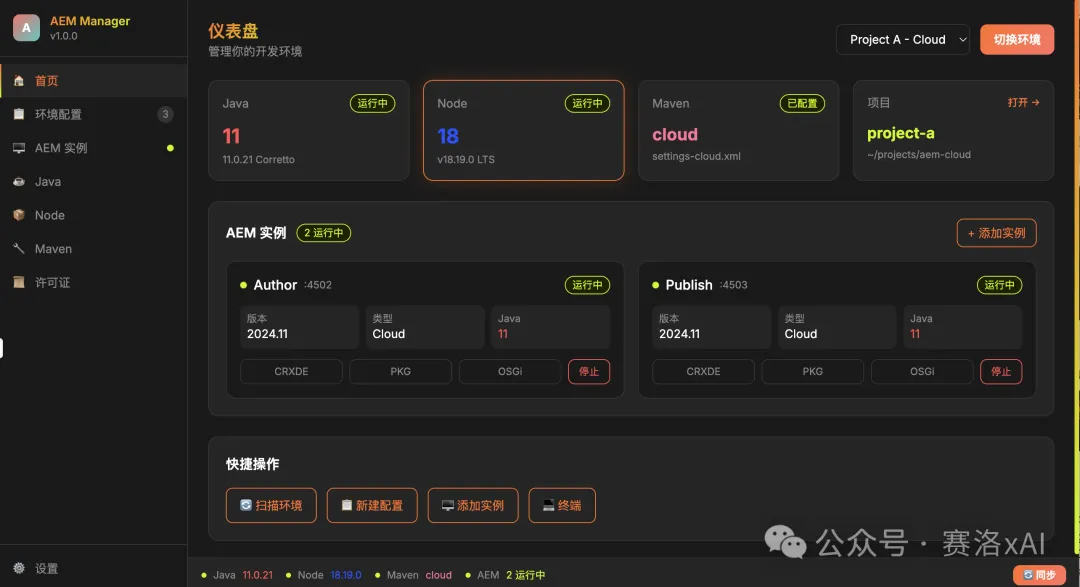
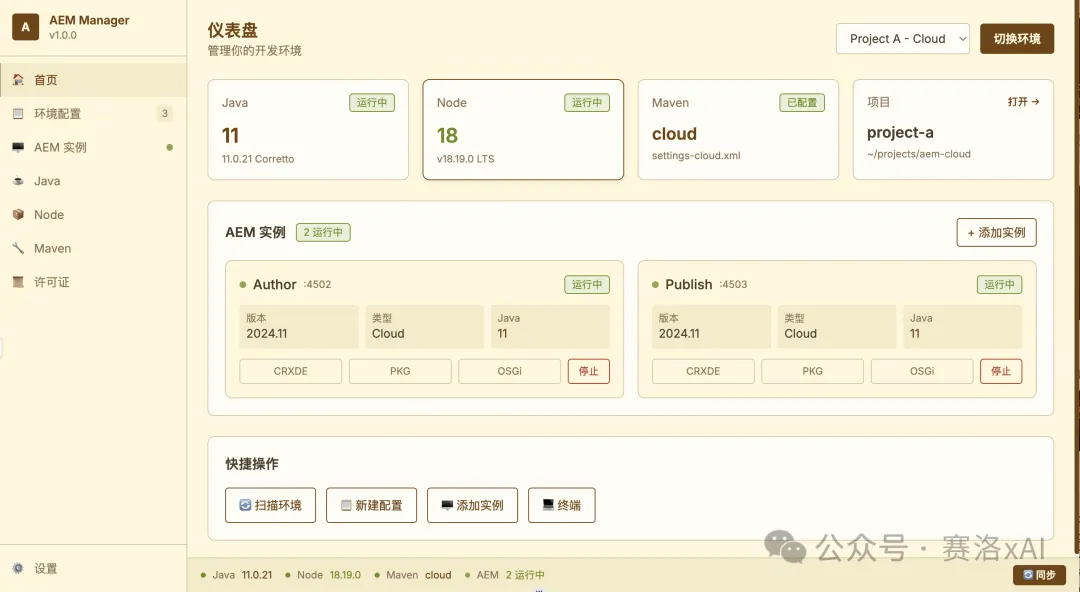
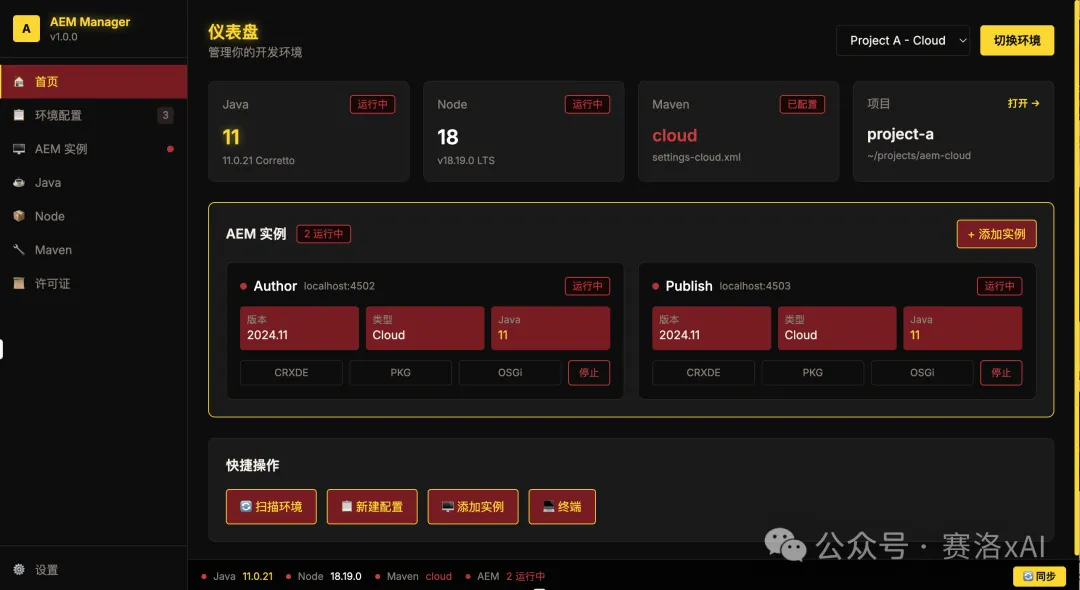
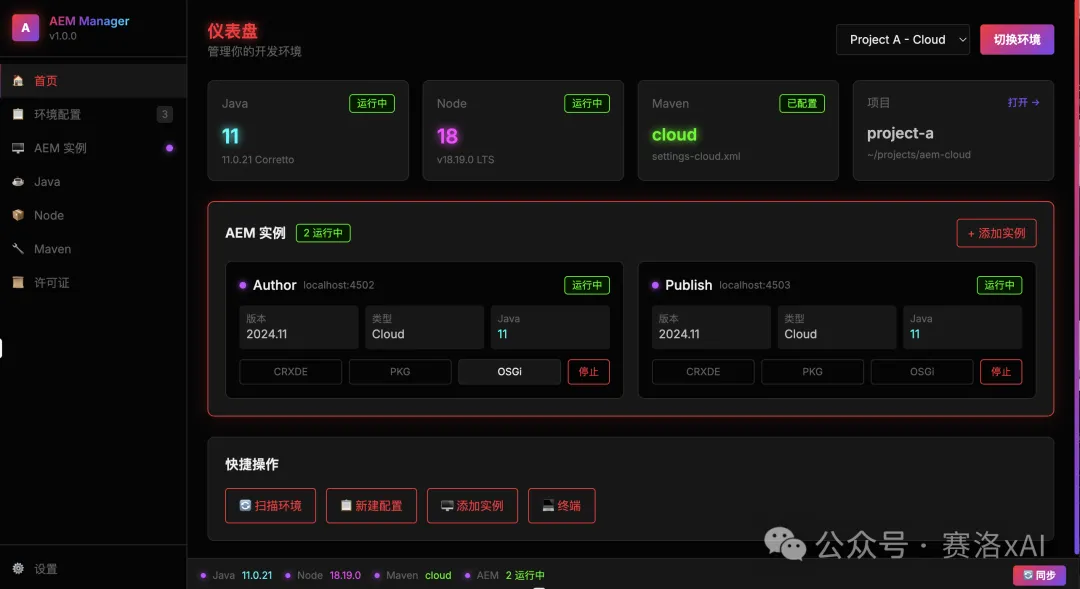
作為技術出身嘅我,審美實在堪憂,自己調嘅色土氣到爆,AI默認界面都樣衰到唔忍睇。無奈之下,我在各大設計論壇瘋狂搜索,整理出20個超實用嘅「AI配色提示詞」,涵蓋科技、極簡、像素等多種風格。
精選8個直接抄嘅AI配色提示詞
以下係直接複製就用得嘅提示詞,每個都包含設計風格、色碼同適用場景。唔該唔好再俾配色折磨啦。
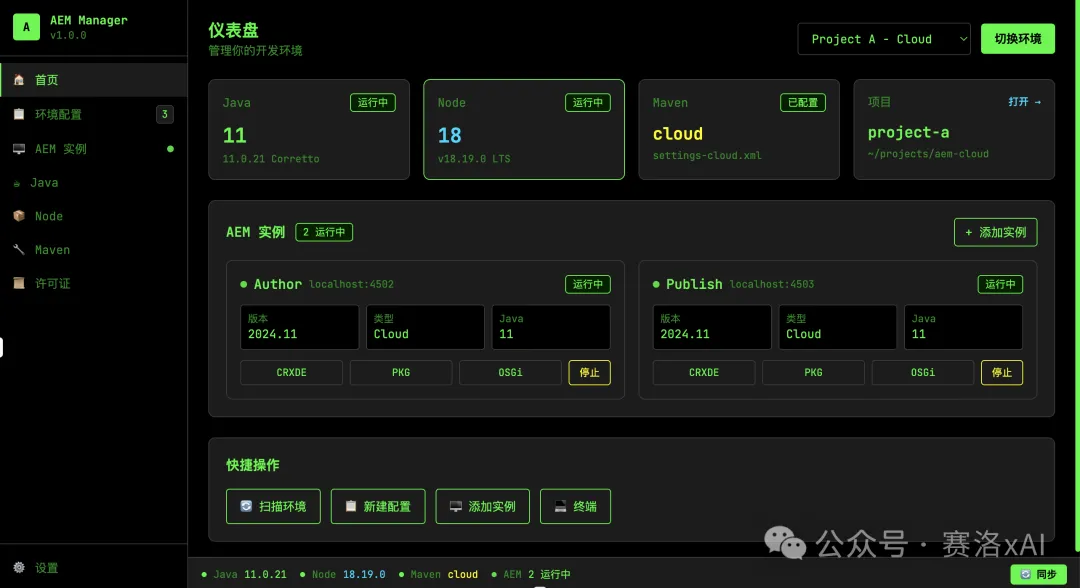
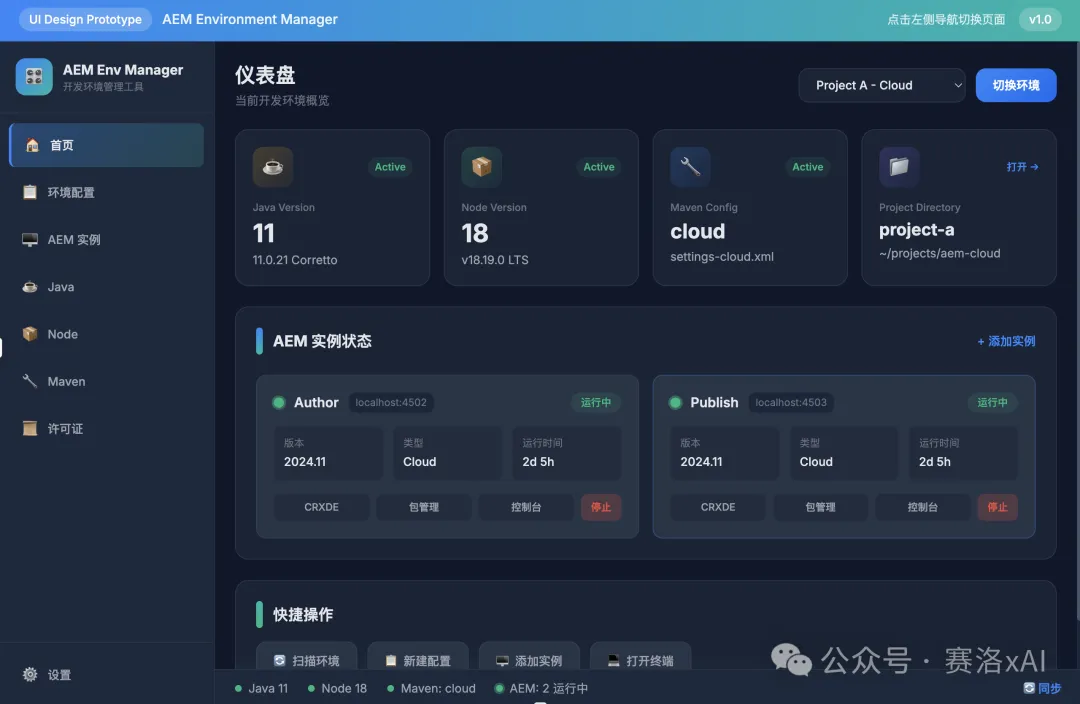
- 1 深色模式配色:以深藍色為主色調,淺灰色為輔助色,搭配熒光藍作為點綴,高對比度設計,適用於開發工具。Modern productivity app dark theme, charcoal grey background #1a1a1a, primary blue #4A90E2, secondary teal #26D0CE, neutral greys #2d2d2d to #f5f5f5, accent orange #FF6B35 for CTAs, Material Design 3 inspired, high contrast for readability, professional and focused atmosphere
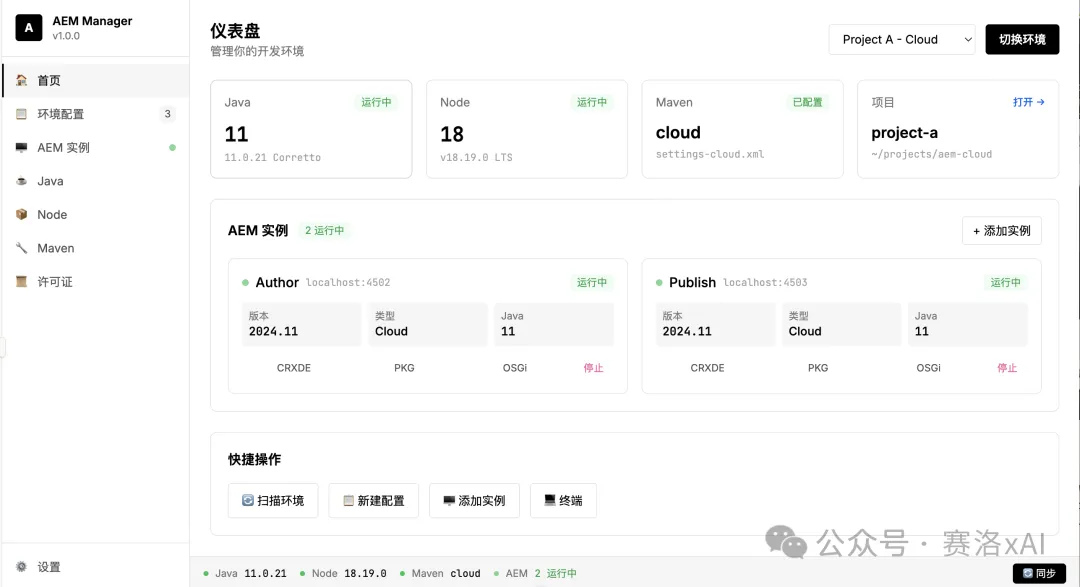
- 2 現代商務配色方案:採用黑、白、灰為主色調,低飽和度,搭配圓角設計,適配各類辦公應用。Enterprise collaboration suite colors, slate grey base #1E293B, primary indigo #6366F1, secondary emerald #10B981, neutral palette #475569 to #F8FAFC, amber accent #F59E0B, Fluent Design System inspired, balanced professional appearance, suitable for team productivity
- 3 清爽明亮系桌面工具:運用淡紫色、淺藍色和鵝黃色,色彩柔和過渡,無明顯邊界,適合輕量型應用。Project management app bright theme, clean white background #FFFFFF, primary royal blue #2563EB, secondary purple #7C3AED, soft grey cards #F9FAFB, green success #22C55E, red alerts #DC2626, yellow warnings #F59E0B, minimal design with subtle shadows, organized and efficient visual hierarchy
- 4 天空主題工具配色:以深灰色和鐵鏽紅為主,搭配粗線條邊框,使用高飽和度強調色,適用於工程類軟件。Cloud storage desktop client colors, sky blue gradient #E0F2FE to #DBEAFE, primary azure #0EA5E9, secondary slate #64748B, white panels #FFFFFF with soft shadows, teal accents #14B8A6, folder yellow #FCD34D, modern airy interface, trustworthy and spacious feeling
- 5 經典商務配色:選用霧霾藍、豆沙綠和燕麥白,低對比度設計,添加柔和陰影,適合創意類應用。Email client professional palette, light grey background #F7F8FA, primary navy #1E40AF, secondary grey blue #64748B, white message cards #FFFFFF, unread indicator blue #3B82F6, important flag red #EF4444, archive green #10B981, classic business communication aesthetic
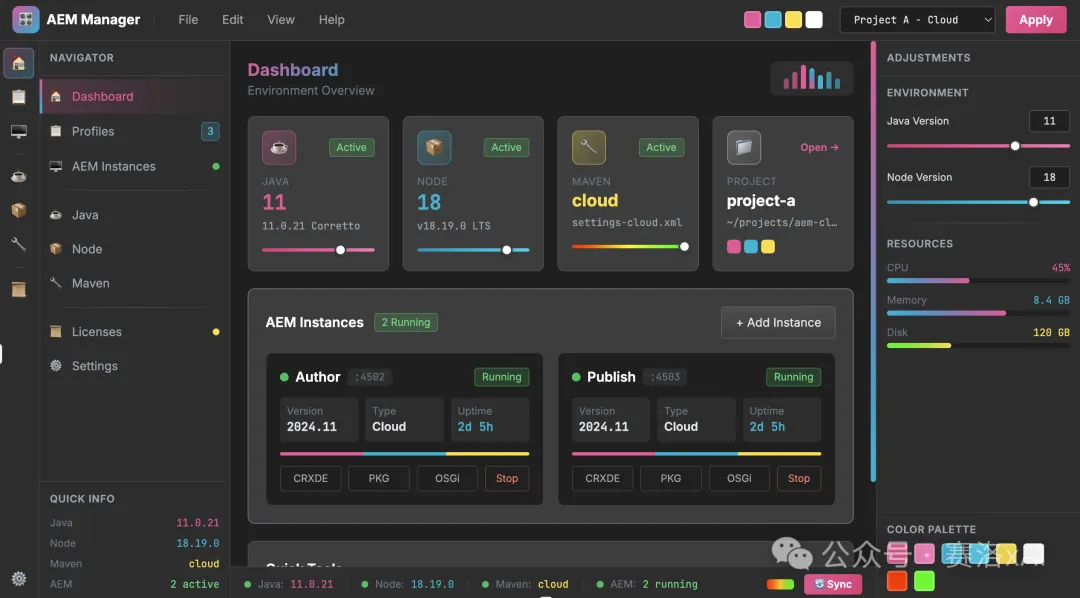
- 6 漸變主題風格桌面應用:採用深紫色、亮粉色和青綠色,搭配霓虹光效與漸變背景,適合科技感強的工具。Creative software gradient color palette, deep purple #6B46C1 to electric blue #2563EB, dark background #0F0F0F, neon pink accent #FF0080, lime green highlights #84CC16, glassmorphism elements with transparency, futuristic and inspiring mood, suitable for digital artists and designers
- 7 影院模式軟件配色:以藏青色、淺灰色為主,點綴金色元素,設計簡潔大氣,具有高可讀性,適用於專業類應用。Video editing suite cinema theme, true black background #000000, primary amber #F59E0B, secondary red #DC2626, timeline tracks in gradient blues #1E40AF to #3B82F6, playback controls silver #E5E7EB, render progress green #10B981, professional broadcast studio inspired design
- 8 工業風格配色:運用薄荷綠、米白色和淺棕色,低飽和度設計,搭配圓角元素,適合日常高頻使用的軟件。3D modeling app industrial colors, dark grey viewport #1F1F1F, primary orange #F97316, secondary steel blue #475569, grid lines subtle grey #374151, selection yellow #FDE047, tool panels charcoal #262626, metallic accents #94A3B8, technical precision focused interface
點樣拎完整20個提示詞
上面嘅8個提示詞唔夠喉?剩低12個我已經整理咗喺文檔。關注呢個公眾號,喺後台回覆【資料】,就可以喺【UI配色】文件夾拎到完整版本。
花800幾蚊「血本」換嚟嘅配色,毫無保留分享俾各位開發者
希望呢啲經驗幫你攻克配色難關,打造出令用戶一見鍾情嘅高顏值界面。如果覺得有用,唔該順手點個讚、分享出去啦。
週末突然諗起,想開發一個解決開發環境管理難題嘅桌面工具。本來以為最難係寫code,點知AI程式工具幾個鐘就搞掂咗核心功能。但係邊個諗到,最後竟然卡咗喺配色同UI設計度!
Modern productivity app dark theme, charcoal grey background #1a1a1a,
primary blue #4A90E2, secondary teal #26D0CE, neutral greys #2d2d2d to #f5f5f5,
accent orange #FF6B35 for CTAs, Material Design 3 inspired,
high contrast for readability, professional and focused atmosphere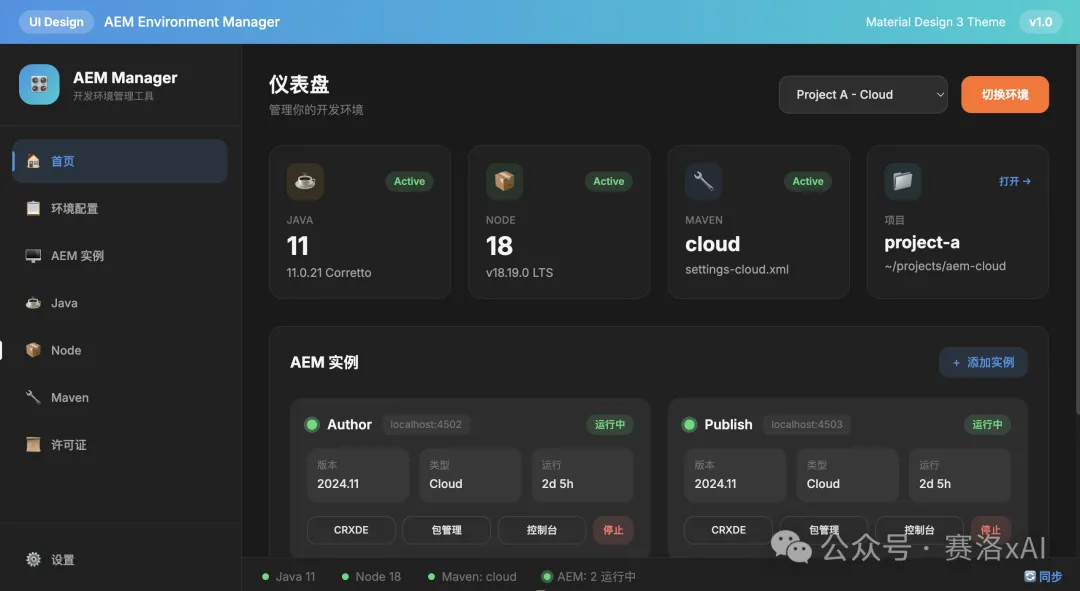
Enterprise collaboration suite colors, slate grey base #1E293B,
primary indigo #6366F1, secondary emerald #10B981,
neutral palette #475569 to #F8FAFC, amber accent #F59E0B,
Fluent Design System inspired, balanced professional appearance,
suitable for team productivity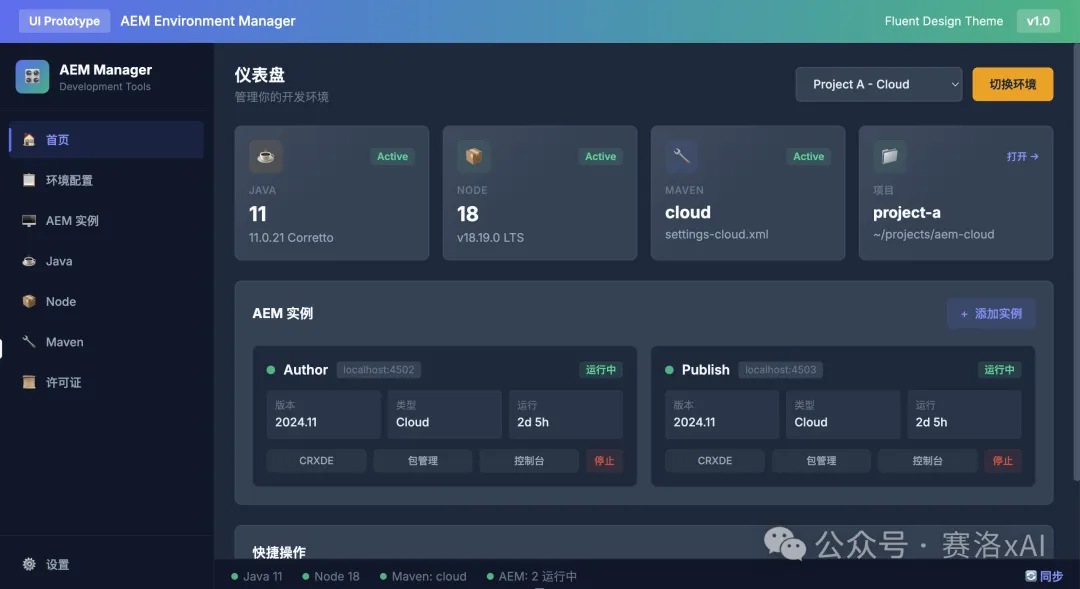
Project management app bright theme, clean white background #FFFFFF,
primary royal blue #2563EB, secondary purple #7C3AED,
soft grey cards #F9FAFB, green success #22C55E, red alerts #DC2626,
yellow warnings #F59E0B, minimal design with subtle shadows,
organized and efficient visual hierarchy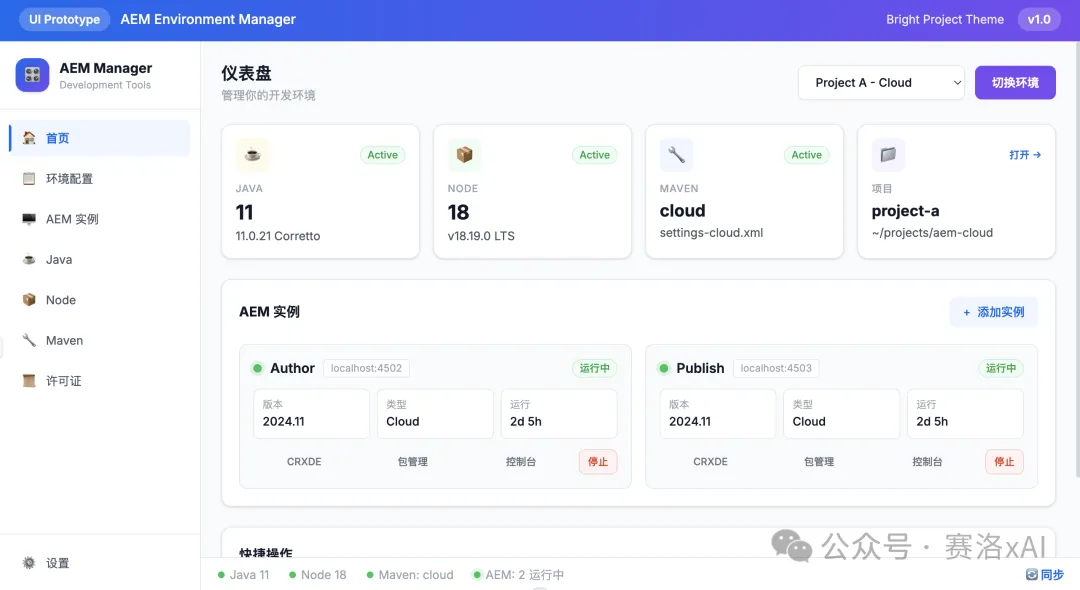
Cloud storage desktop client colors, sky blue gradient #E0F2FE to #DBEAFE,
primary azure #0EA5E9, secondary slate #64748B,
white panels #FFFFFF with soft shadows, teal accents #14B8A6,
folder yellow #FCD34D, modern airy interface,
trustworthy and spacious feeling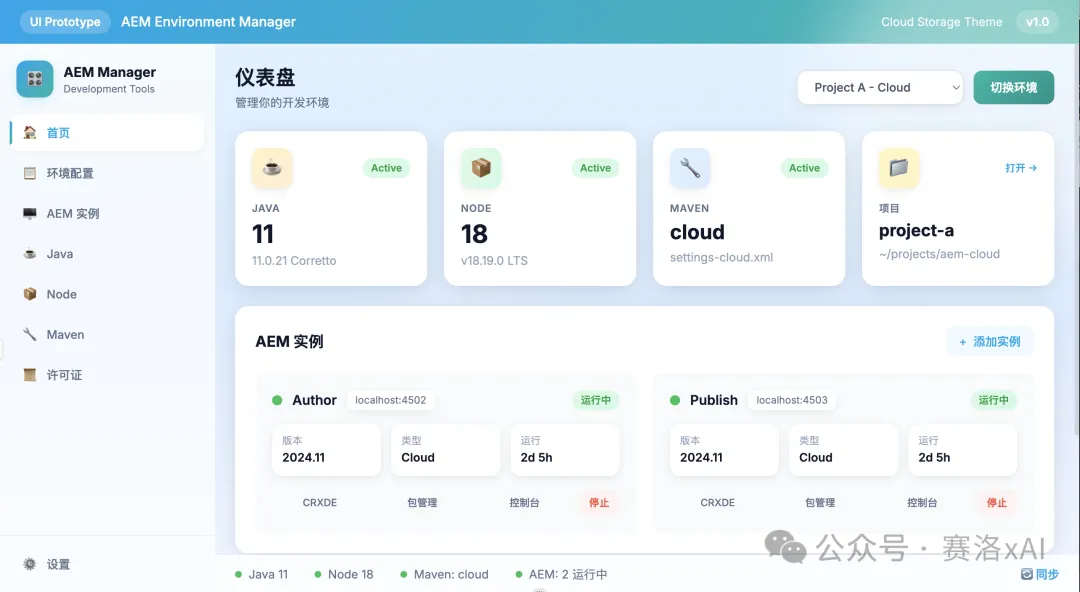
Email client professional palette, light grey background #F7F8FA,
primary navy #1E40AF, secondary grey blue #64748B,
white message cards #FFFFFF, unread indicator blue #3B82F6,
important flag red #EF4444, archive green #10B981,
classic business communication aesthetic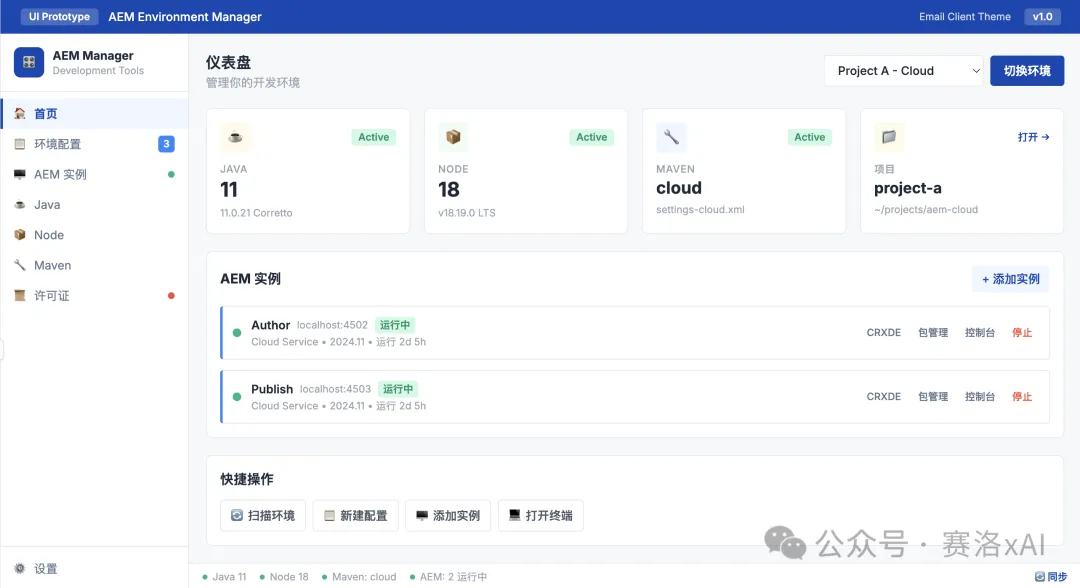
Creative software gradient color palette, deep purple #6B46C1 to electric blue #2563EB,
dark background #0F0F0F, neon pink accent #FF0080, lime green highlights #84CC16,
glassmorphism elements with transparency, futuristic and inspiring mood,
suitable for digital artists and designers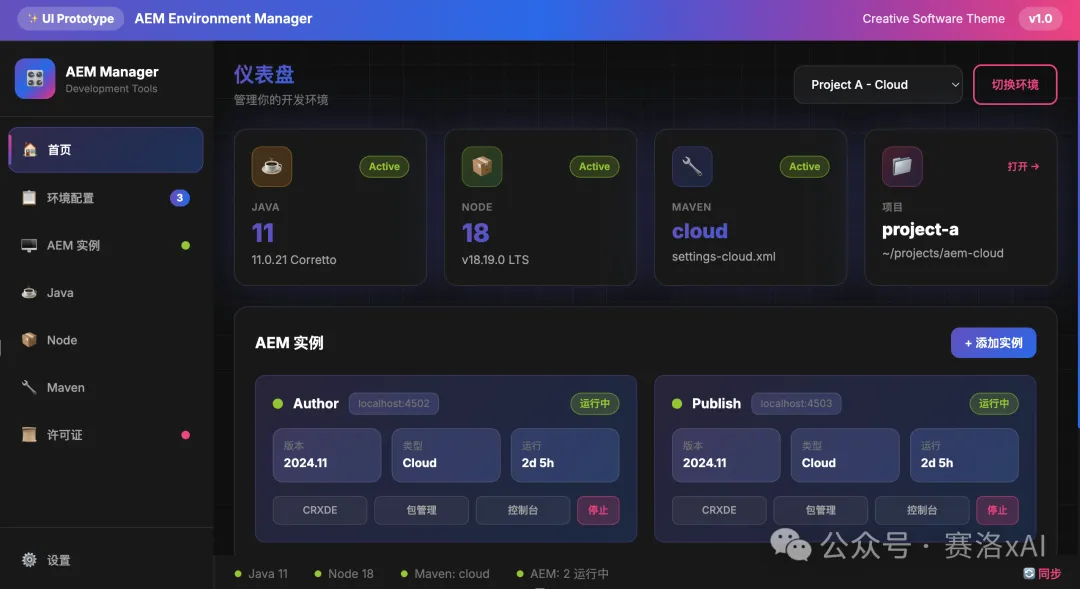
Video editing suite cinema theme, true black background #000000,
primary amber #F59E0B, secondary red #DC2626,
timeline tracks in gradient blues #1E40AF to #3B82F6,
playback controls silver #E5E7EB, render progress green #10B981,
professional broadcast studio inspired design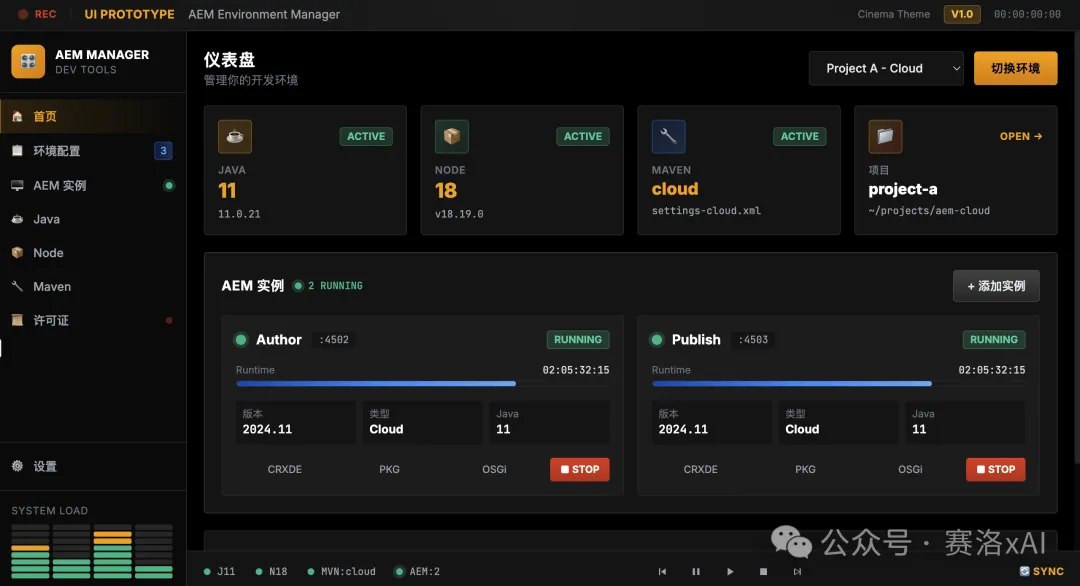
3D modeling app industrial colors, dark grey viewport #1F1F1F,
primary orange #F97316, secondary steel blue #475569,
grid lines subtle grey #374151, selection yellow #FDE047,
tool panels charcoal #262626, metallic accents #94A3B8,
technical precision focused interface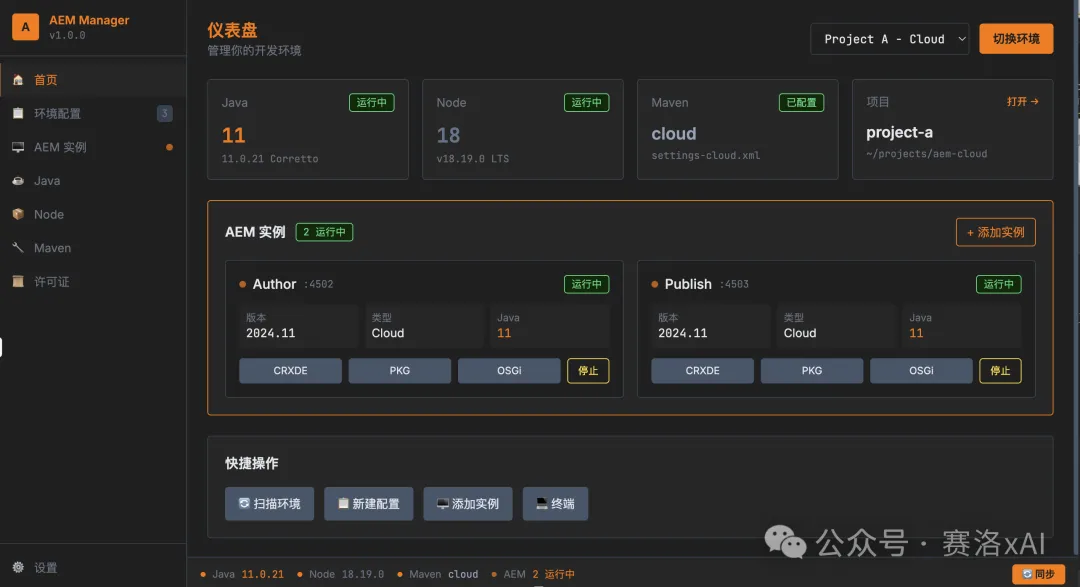
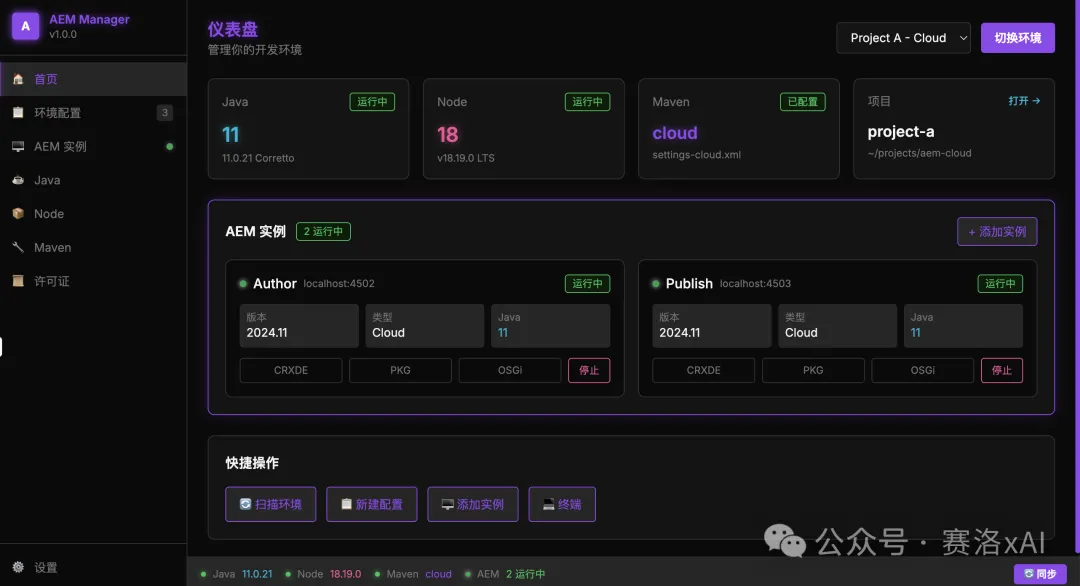
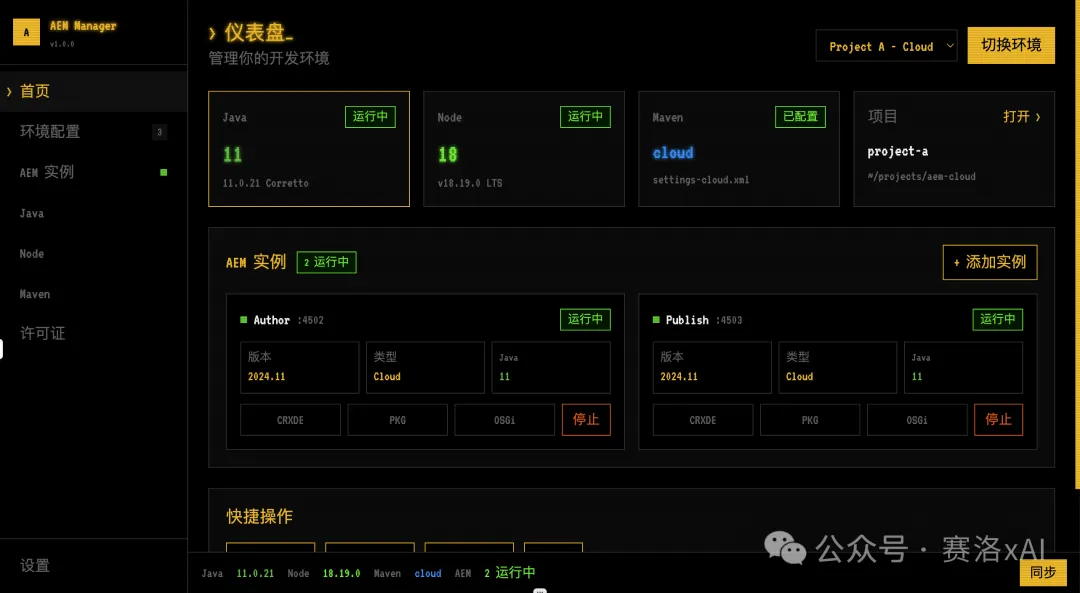
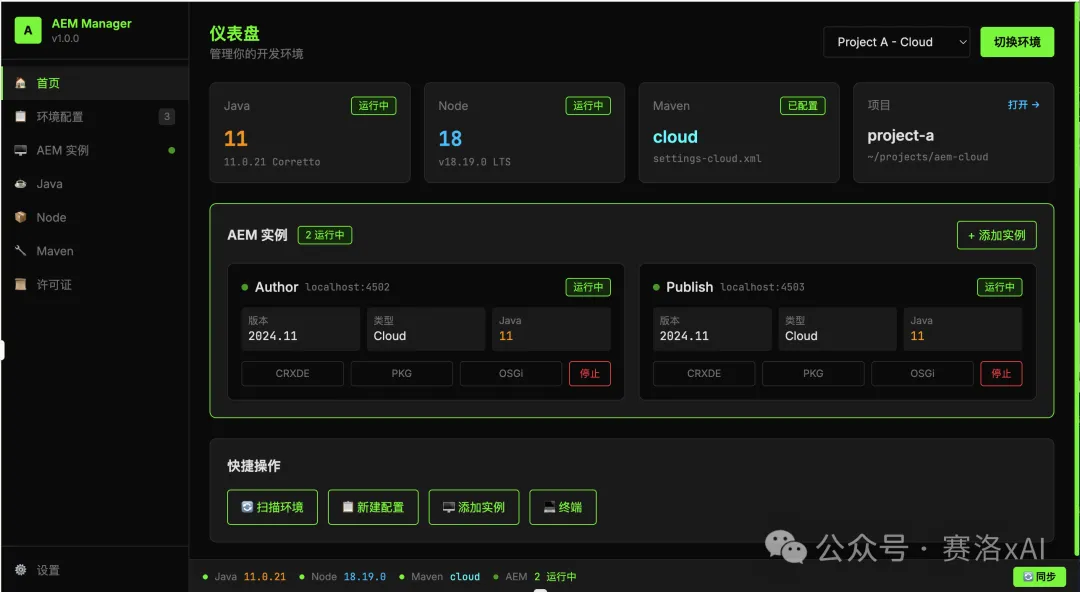
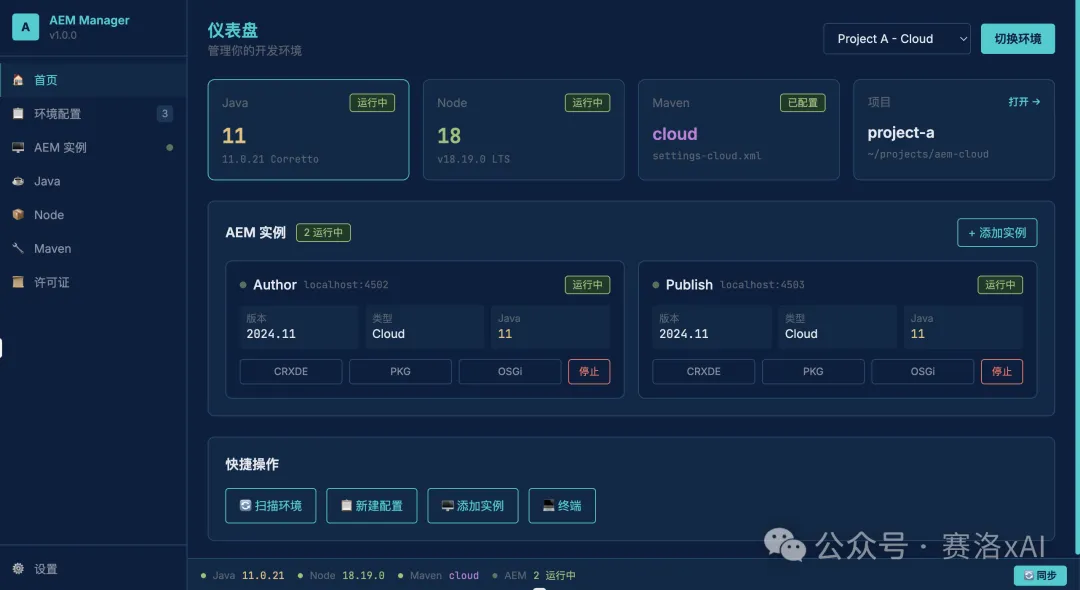
既然睇到呢度,如果覺得唔錯,順手點個👍🏻、❤️、轉發三連啦
多謝你睇我篇文章,我哋,下次再見。
週末突發奇想,打算開發一款解決開發環境管理難題的桌面工具。本以為最難的是代碼編寫,沒想到 AI 編程工具幾小時就搞定了核心功能。可誰能想到,最終卻卡在了配色和 UI 設計上!
Modern productivity app dark theme, charcoal grey background #1a1a1a,
primary blue #4A90E2, secondary teal #26D0CE, neutral greys #2d2d2d to #f5f5f5,
accent orange #FF6B35 for CTAs, Material Design 3 inspired,
high contrast for readability, professional and focused atmosphereEnterprise collaboration suite colors, slate grey base #1E293B,
primary indigo #6366F1, secondary emerald #10B981,
neutral palette #475569 to #F8FAFC, amber accent #F59E0B,
Fluent Design System inspired, balanced professional appearance,
suitable for team productivityProject management app bright theme, clean white background #FFFFFF,
primary royal blue #2563EB, secondary purple #7C3AED,
soft grey cards #F9FAFB, green success #22C55E, red alerts #DC2626,
yellow warnings #F59E0B, minimal design with subtle shadows,
organized and efficient visual hierarchyCloud storage desktop client colors, sky blue gradient #E0F2FE to #DBEAFE,
primary azure #0EA5E9, secondary slate #64748B,
white panels #FFFFFF with soft shadows, teal accents #14B8A6,
folder yellow #FCD34D, modern airy interface,
trustworthy and spacious feelingEmail client professional palette, light grey background #F7F8FA,
primary navy #1E40AF, secondary grey blue #64748B,
white message cards #FFFFFF, unread indicator blue #3B82F6,
important flag red #EF4444, archive green #10B981,
classic business communication aestheticCreative software gradient color palette, deep purple #6B46C1 to electric blue #2563EB,
dark background #0F0F0F, neon pink accent #FF0080, lime green highlights #84CC16,
glassmorphism elements with transparency, futuristic and inspiring mood,
suitable for digital artists and designersVideo editing suite cinema theme, true black background #000000,
primary amber #F59E0B, secondary red #DC2626,
timeline tracks in gradient blues #1E40AF to #3B82F6,
playback controls silver #E5E7EB, render progress green #10B981,
professional broadcast studio inspired design3D modeling app industrial colors, dark grey viewport #1F1F1F,
primary orange #F97316, secondary steel blue #475569,
grid lines subtle grey #374151, selection yellow #FDE047,
tool panels charcoal #262626, metallic accents #94A3B8,
technical precision focused interface既然看到這裏了,如果覺得不錯,隨手點個👍🏻、❤️、轉發三連吧
謝謝你看我的文章,我們,下次再見。